Secure video hosting: what it means and how to choose




Live streaming without limits — private, powerful, reliable.
A password and a "private" link decide who can open a video. Once it plays, the viewer can still save the file. Secure video hosting is the category built around that second step: it protects the file itself, so a saved copy is useless on its own. This guide covers what the term should mean, which protection layers matter, and how to tell a genuinely secure host from one that just hides the link, with a checklist you can run before you commit.
Key Takeaways
- "Private" and "secure" are different promises. A private link or a password decides who can open a video; once it plays, an authorized viewer can still save the file.
- Real protection is layered: encryption with DRM, signed expiring links, domain rules, granular access control, and a per-viewer watermark. Each one covers a gap the others leave open.
- DRM is the only layer that blocks downloading at the player level, the same approach Netflix and Disney+ rely on, and it's the line most ordinary hosts reserve for an enterprise contract.
- For a European audience, where your video data physically lives matters alongside how it's encrypted; an EU-based host keeps it in-region without a special plan.
- When you compare platforms, the deciding question is whether security is on by default or sold as a premium add-on.
What "secure video hosting" means
Secure video hosting protects the video file itself, rather than only the page wrapped around it. Three things have to hold at once: the content is encrypted in storage and on its way to the viewer, playback is restricted so only authorized people reach it, and a copy pulled off the network won't play anywhere else even when the person grabbing it was allowed to watch.
Many consumer platforms provide only the middle one, access control, and describe that as security.
A locked door decides who walks in but does nothing about what they carry out. The work of secure hosting is making the thing inside useless to anyone who copies it, so a leaked file is scrambled data rather than a playable video.
What you're protecting against
The threats are ordinary, and none of them require a hacker targeting you. The realistic list:
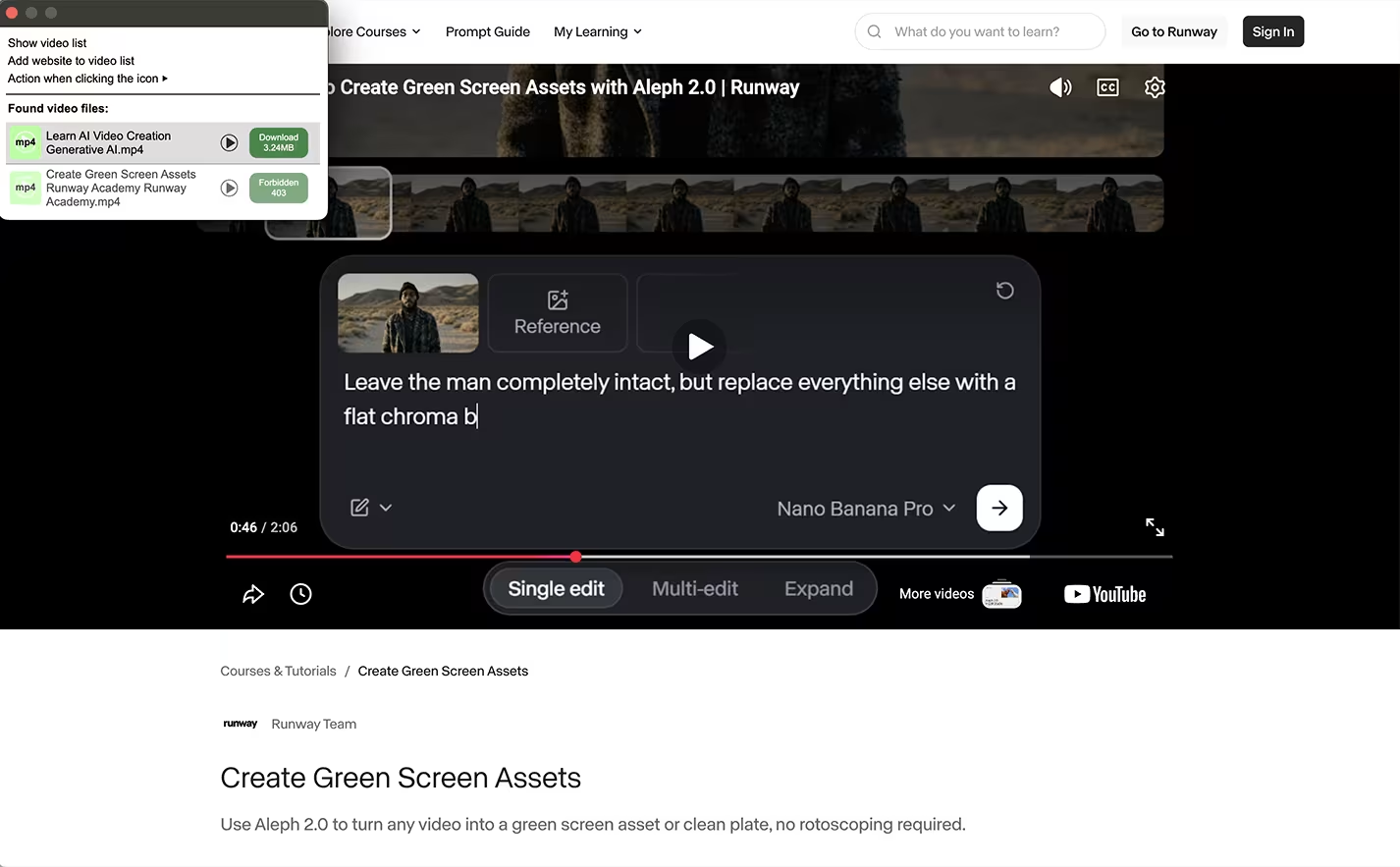
- Casual download. A free browser extension or a desktop tool reassembles a normal stream into a saved MP4 in under a minute.
- Link sharing. An unlisted or private link is still a link; whoever has it can forward it, and the file behind it downloads like any other.
- Screen recording. Software capture grabs whatever plays on screen unless the session is hardware-protected.
- Re-embedding. Your embed code, lifted and dropped on another site, plays your video on someone else's page.
- Internal leaks. For corporate content, the risk is someone who already has access, not an outsider breaking in.
The money behind this is real and still climbing. A November 2025 study by BB Media for the anti-piracy alliance ALIANZA put annualized online-piracy losses in Latin America above US$8 billion, with pirate sources reaching roughly 40 million households. The protection market has grown to match: MarketsandMarkets sizes digital rights management at about US$6.7 billion in 2025, rising to roughly US$11 billion by 2030.
Treat the loudest "piracy costs $X billion" headlines with some caution, though: the often-quoted US$29.2 billion figure for US video piracy was publicly challenged in 2025 as resting on assumptions that push the estimate far too high. The trend is the useful part; the exact figure is disputed.
The layers that make hosting secure
Secure hosting is a stack of features. A serious setup combines several, because each closes a different gap the others leave open.
Encryption and DRM
The base layer is encryption: the file is scrambled in storage and in transit, so an intercepted piece is meaningless on its own. DRM (digital rights management) goes one step further and keeps the unlock key out of the page's reach, so the video only plays inside an authorized player. For browsers, two systems cover everyone between them: Google's Widevine (Chrome, Edge, Firefox, Android) and Apple's FairPlay (Safari, iOS), and a real platform implements both.
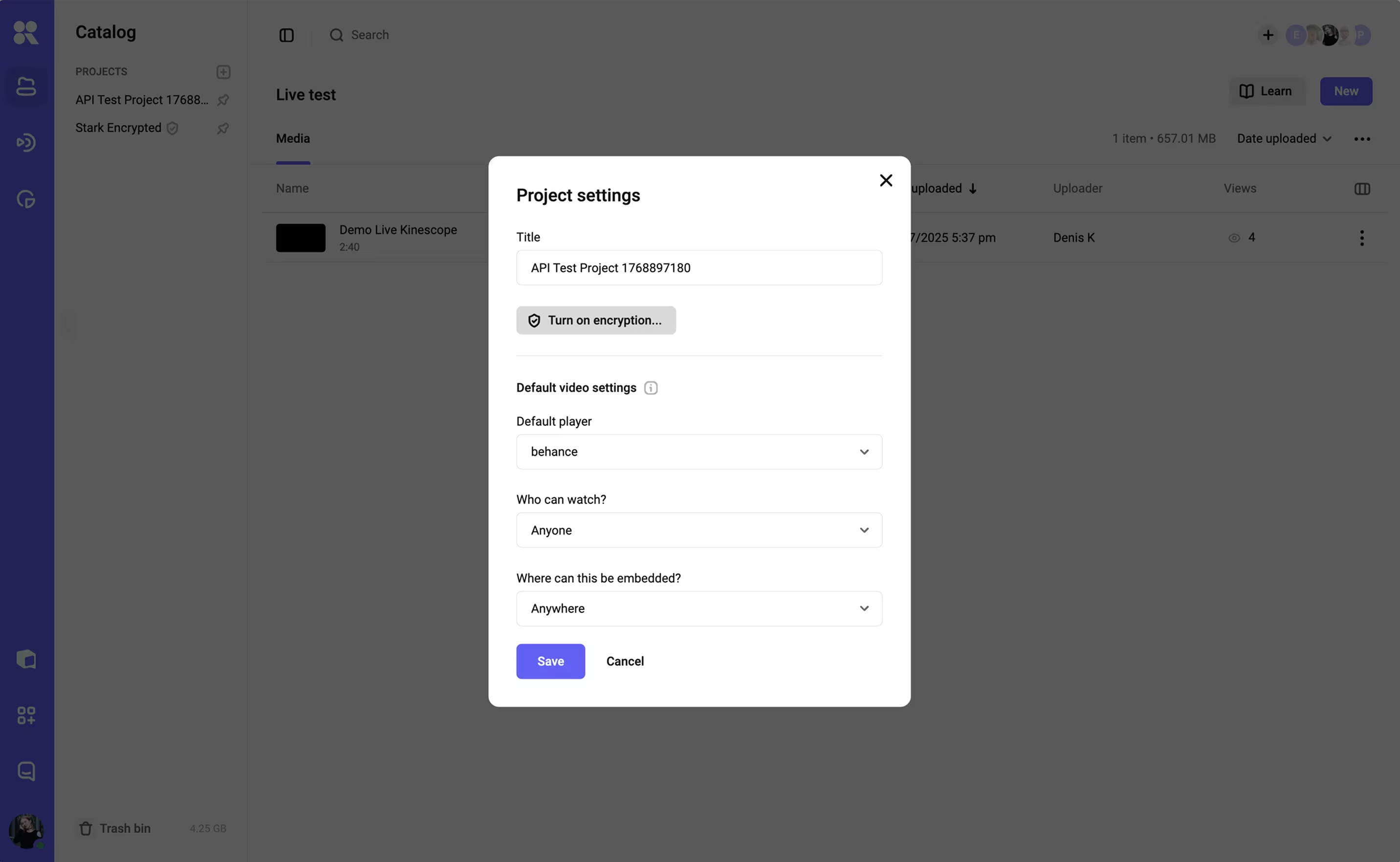
On Kinescope, encryption is a project-level setting: switch it on and all of that project's videos, current and future, go into encryption at once. DRM is the layer that blocks downloading; the mechanics are worth understanding in full if paid content is your livelihood.
Signed, expiring links
Each playback link is signed and carries an expiry, so a leaked URL stops working after a short window instead of serving your video forever. It's the layer that keeps a link you shared once from quietly becoming a permanent free copy.
Domain restrictions
You can pin playback to a list of domains you own, so the player refuses to load anywhere else. Lift the embed code onto another site and nothing plays. For a course that lives on one site or inside an LMS, this removes a whole category of re-embedding by itself.
Access control: who can open the video
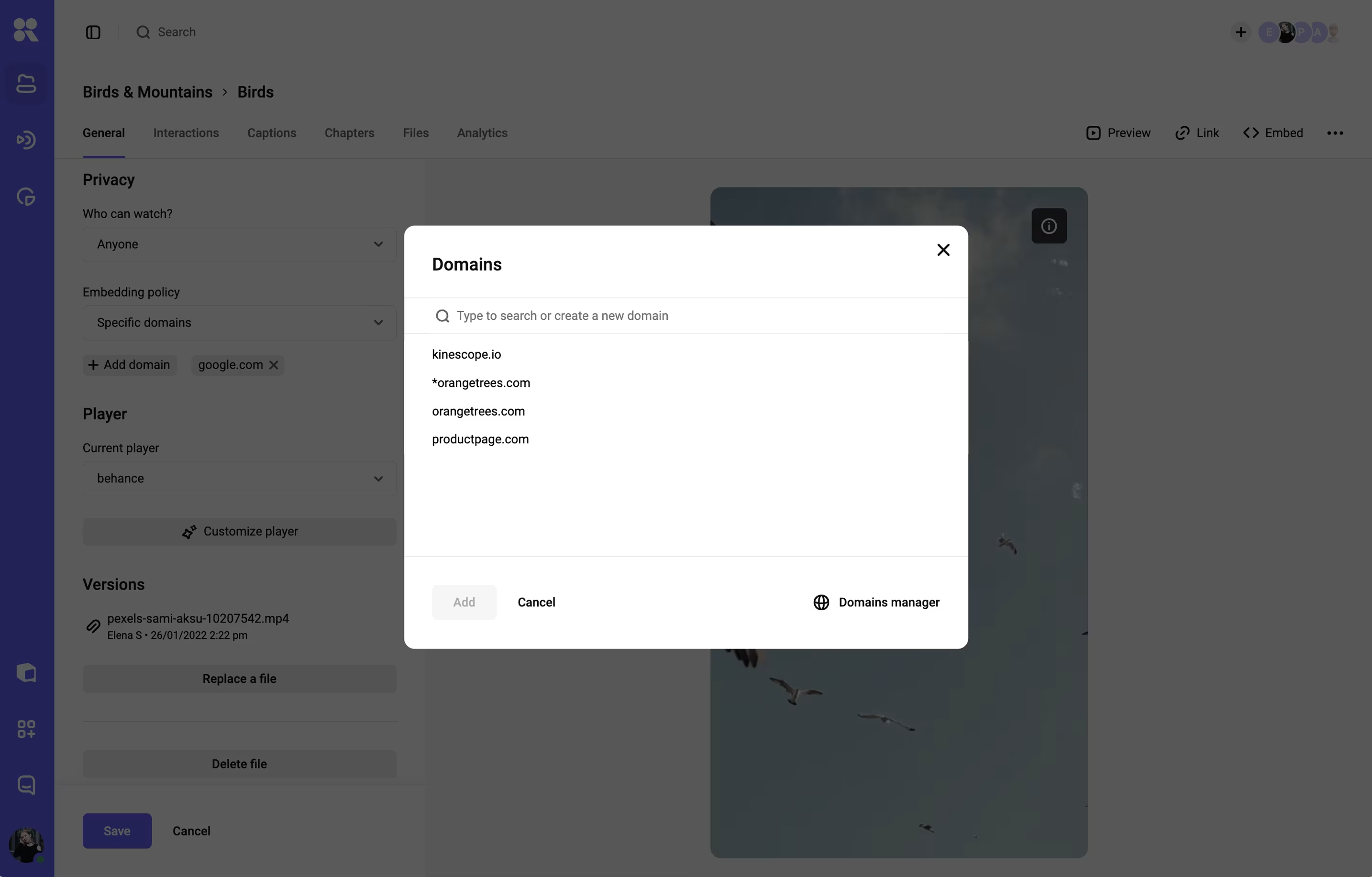
This is where you decide who gets in, and good hosting gives you more than one way to do it. Kinescope's privacy setting offers five levels of "who can watch": open to everyone, a private link, a password, single-use codes (handy for a paid webinar, with an expiry date and a cap on viewers per code), or access limited to a company email domain. Pick the one that matches how you sell or distribute, rather than defaulting to "unlisted" and hoping.
Watermarks
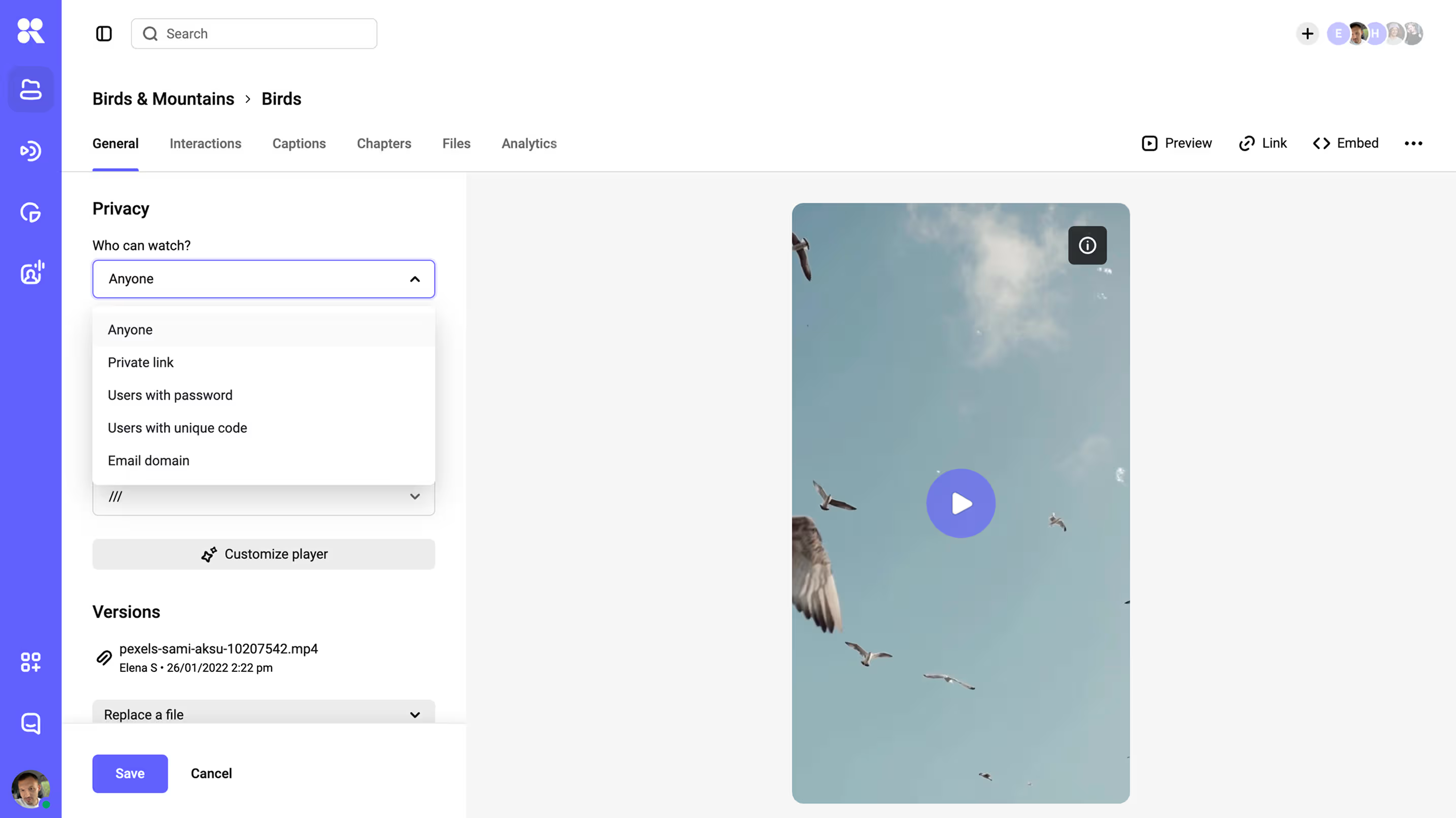
A watermark makes a copy traceable. A dynamic watermark stamps each viewer's own identifier (their email or user ID) onto the video as it plays, moving around the frame so there's no clean crop that removes it. If a recording turns up in a resale group, it points straight back to the account it came from. A static watermark, a fixed logo or text, is for branding rather than tracing.
Access control and content protection do two different jobs
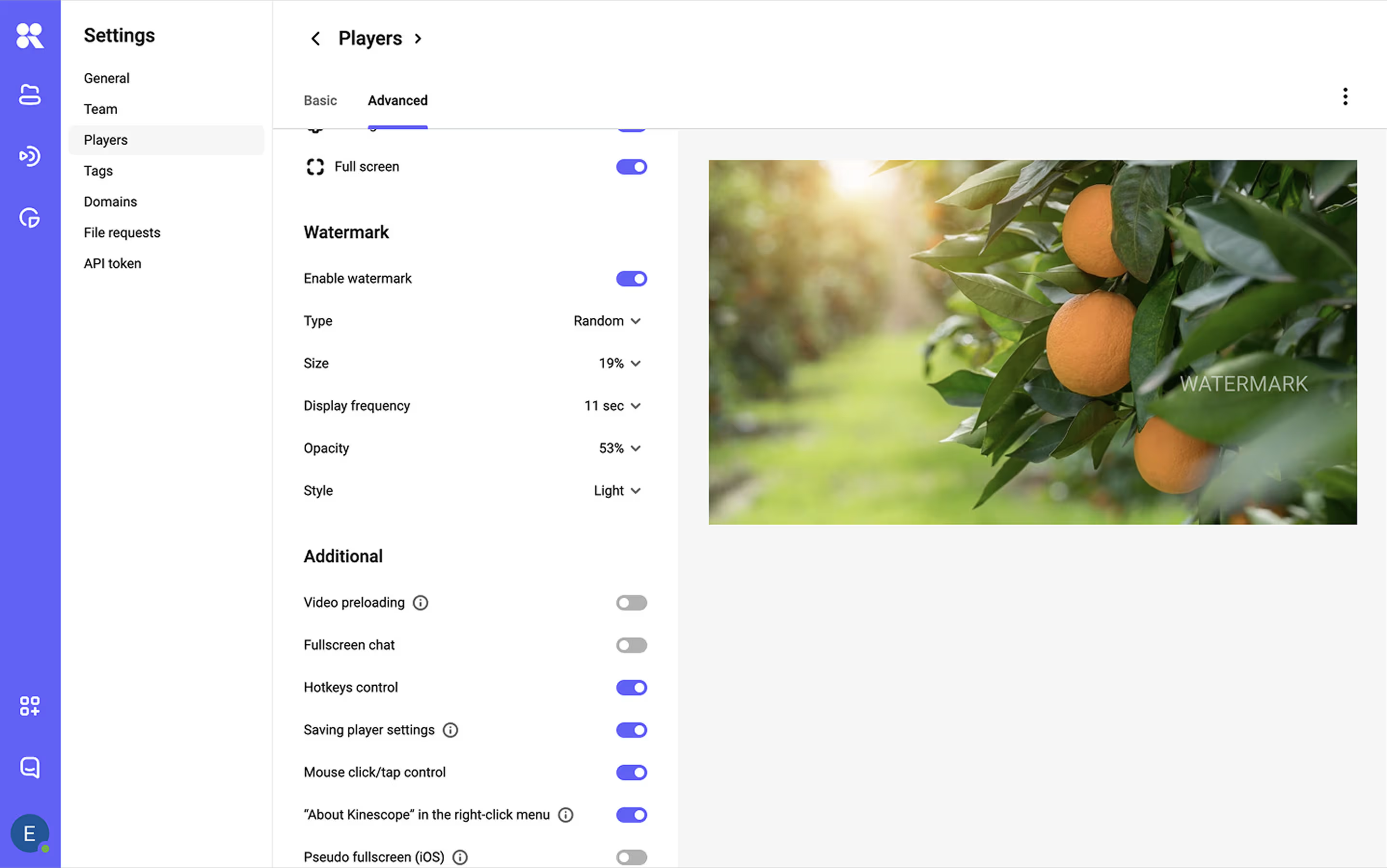
The two ideas are worth separating. Access control answers who can reach the video, while content protection answers whether the file survives being reached. Passwords, private links, and domain rules are all access control; they filter out the casual majority, and they hand a fully playable file to every authorized viewer — which is where paid content leaks. Encryption, DRM, and watermarking are the content-protection half. A secure setup needs both.
Security as a baseline or an enterprise add-on
Hosts differ on where they place security in their pricing. On some well-known platforms the protection features sit on the top tier rather than the entry plan. Vimeo is one example, and a capable platform in its own right — strong for marketing video, client review, and a clean player.
For protection specifically, its DRM is offered as an add-on on the Enterprise plan; on the self-serve tiers, features like DRM, SSO, watermarking, and geo-blocking come through a sales conversation rather than a checkbox.
Other hosts include protection from the entry plan. Kinescope is built that way: multi-DRM, signed links, domain rules, granular access control, and watermarking come as standard settings, with DRM on the Super plan at €10 a month. When you compare, check whether the protection you need is included in the plan you'd buy.
Compliance and data residency: when it matters
For a lot of content this is a non-issue, so don't over-engineer it. It starts to matter when you handle regulated data (health or finance), sell into the EU, or have a procurement team that asks where the bits live.
Two things to check: the platform's encryption standards (TLS in transit, AES at rest are the table stakes), and the physical location of the data. Vimeo, for example, documents AES-256 and TLS, and provides EU data residency and HIPAA agreements on its Enterprise tier — worth knowing if your plan sits below that.
Where your host is based is the quiet part of this. A US-hosted platform storing data stateside can be a snag for an EU audience with GDPR expectations; an EU-based provider keeps it in-region without a special plan. Kinescope is a European company (Kinescope B.V., based in the Netherlands); it processes data under the GDPR and keeps personal data within the European Economic Area, so EU residency is a baseline rather than an enterprise upgrade. If you have specific certification requirements (SOC 2, ISO 27001, a signed DPA), ask the vendor directly and get it in writing; that's true whoever you choose.
How to choose a secure video host
Run a prospective secure video host through this questionnaire before you commit:
- Is the video encrypted with multi-DRM (Widevine and FairPlay), or is "private" the strongest setting on offer?
- Is DRM included in the plan you'd buy, or only on an enterprise contract?
- Can you sign playback links and set them to expire?
- Can you restrict embedding to domains you own?
- Are there real access controls — password, single-use codes, email-domain — beyond an "unlisted" toggle?
- Does it offer per-viewer dynamic watermarking, not just a static logo?
- Where is the data hosted, and does that satisfy your region's rules?
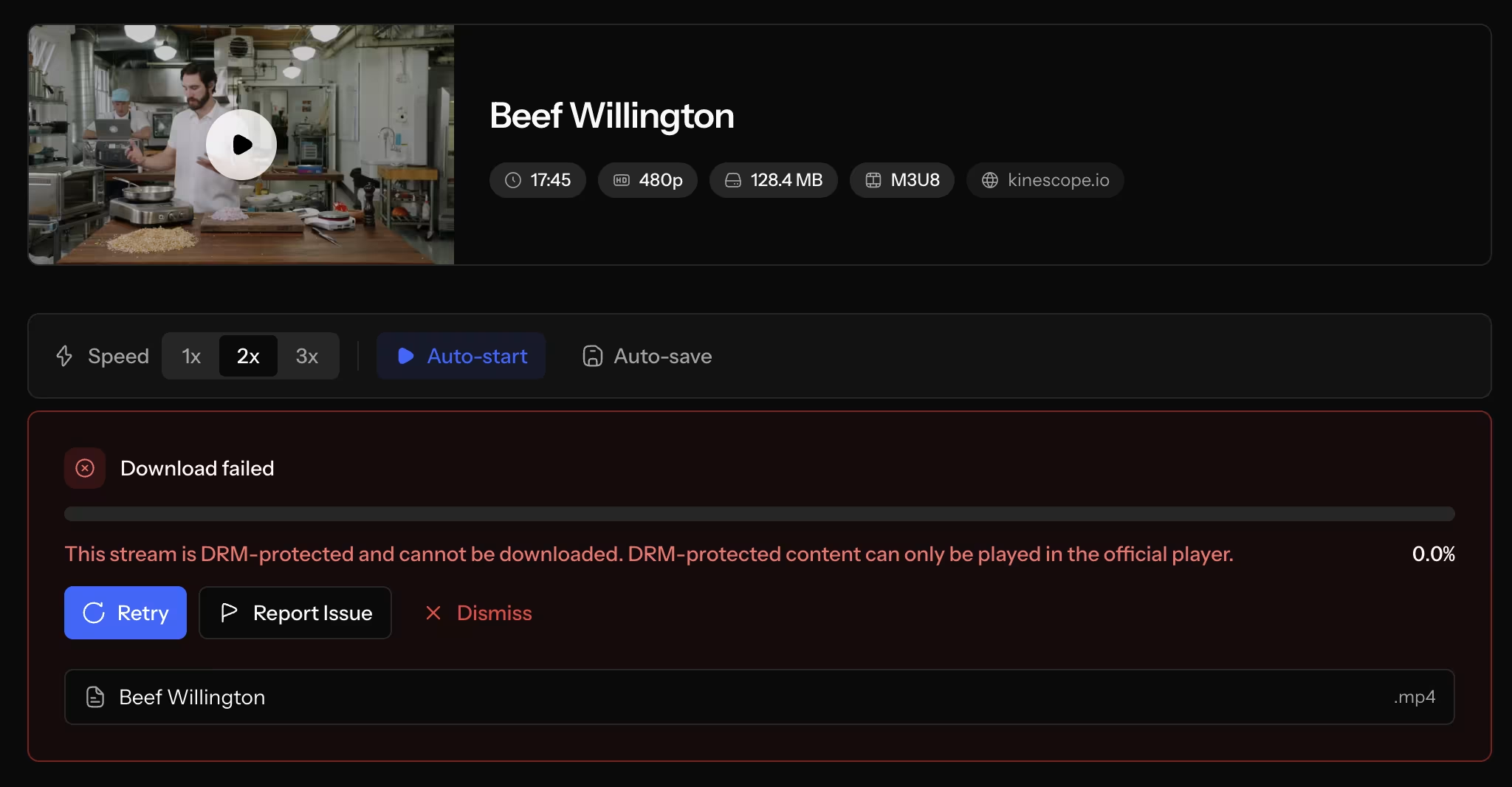
- Run the rip test: open a sample video and point a download extension at it. On a secure host the download fails with an error; if a copy is pulled another way, it comes back scrambled and won't play.
We prepared the whole checklist on one page, save it (direct link to PDF) so it's there when you're weighing your options.
Where to start
Secure video hosting is a small stack: encryption and DRM so a saved file can't be replayed, signed links and domain rules so it can't be shared or re-embedded, access control so the right people get in, and a watermark so any leak has a name on it.
Build that by hand across separate services and it's a real project. The reason the layered approach is worth it is simple arithmetic: the protection costs a known amount each month — while a single leaked course or training library keeps costing you on every relaunch.
If you're protecting content you sell or content you can't afford to leak, the cheapest moment to get this right is before launch, not after a copy turns up somewhere. Kinescope bundles the whole stack (multi-DRM, signed links, domain restrictions, access controls, and dynamic watermarks) into settings rather than an integration project, with DRM on the Super plan from €10 a month. Start a free trial and run the rip test on your own video.
FAQ
What is secure video hosting?
Secure video hosting is hosting that protects the video file itself, not just access to the page. In practice that means the content is encrypted in storage and transit, playback is limited to authorized viewers, and the stream is wrapped in DRM so a downloaded copy can't be replayed. Ordinary "private" hosting usually does only the access part.
Can someone download a video from a "private" or unlisted link?
Yes. "Unlisted" only keeps a video out of search and public listings; the file behind the link downloads like any other, and a free browser extension can grab it in under a minute. A password decides who reaches the video but doesn't stop an authorized viewer from saving it. Blocking download requires encryption plus DRM at the player level.
What's the most secure way to host course or paid videos?
Layer the protections rather than relying on one. Encrypt the video and apply multi-DRM (Widevine and FairPlay) so a downloaded copy can't be played, sign and expire your playback links, restrict embedding to your own domains, restrict access by password or single-use code, and add a per-viewer watermark so any leak is traceable. A host that bundles these saves you wiring them together yourself.
Does secure video hosting stop screen recording?
Partly. Hardware-backed DRM blacks out screen recording on mobile devices and on Safari, the same way recording Netflix gives you a black screen. On default desktop Chrome and Firefox, where DRM runs in software, a recorder can still capture the picture, and no system stops a second phone pointed at the monitor. A dynamic watermark covers that remaining gap by tying any recording to a specific account.
Is DRM necessary, or are passwords and domain locks enough?
It depends on what the content is worth. For free or low-stakes video, access controls are usually proportionate. For anything you sell or can't afford to leak, passwords and domain locks are access control only — they decide who gets in but leave the file grabbable once it plays. DRM is the layer that blocks the download, which is why it's the dividing line for paid content.
How much does secure video hosting cost?
Secure video hosting ranges widely in price depending on whether security is bundled or sold separately. Some platforms lock DRM behind enterprise contracts and custom quotes; security-first hosts include it from a standard plan, with Kinescope putting DRM on its Super plan from €10 a month, billed on traffic and storage rather than per seat. When you compare, add up the plan that includes the protection you need, not the headline base price.